
- Launched
- Oct 25, 2026
- Website
- clipshrink.app
- Pricing
- Freemium
- Platforms
- Web
- Based in
- China
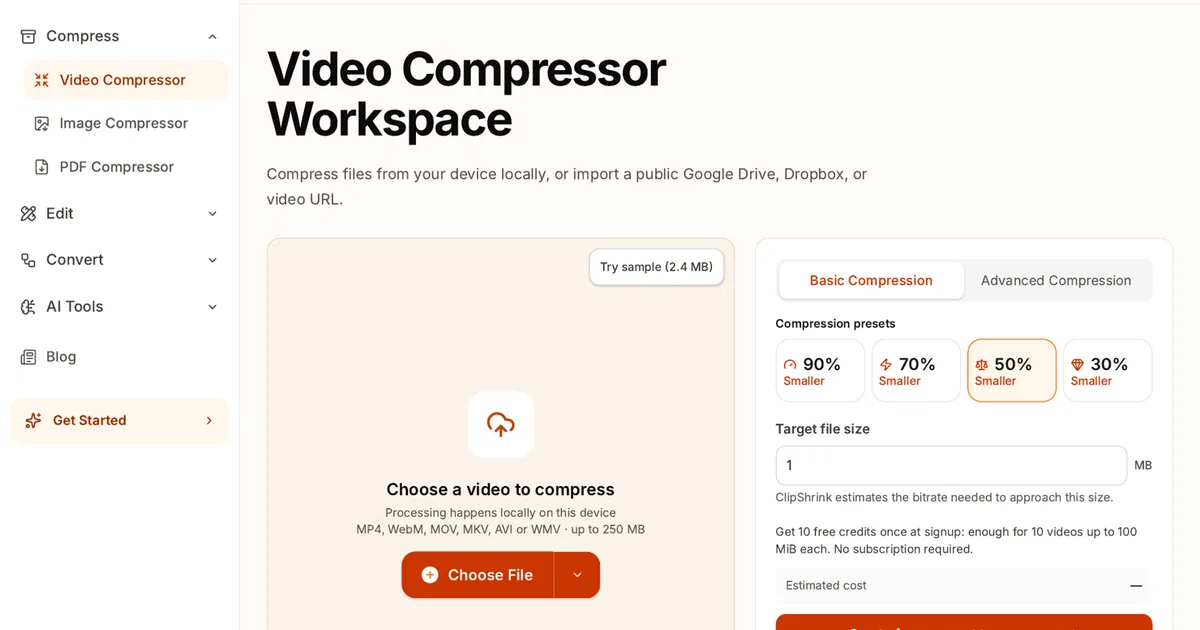
ClipShrink converts video and audio to text online. Transcription needs an account and credits and uploads to the cloud. Browser tools also compress, trim, and convert video locally for device-picked files (those local files are not uploaded for compression). Free 10 credits; Starter $9/750; Creator $19/2000.
What ClipShrink does
- Three source options: Start with a device file, a supported public video link, or a microphone recording.
- Source preview: Review the selected media before it is uploaded for processing.
- Duration-based quote: See the exact duration-based credit cost before approving transcription.
- Transcript download: After approval, the worker extracts audio and produces a transcript for download.
- Large file support: Choose an audio or video file up to 2 GB.
- Timed subtitles: Timed subtitles are available when a timestamp-capable model is used.
Who it's for
Independent creators who need to turn video, audio, public video links, or microphone recordings into text.
Why people use ClipShrink
Transcribing recordings requires a way to process different media sources while showing the cost before paid processing begins.
ClipShrink accepts device files, supported public video links, and browser recordings, previews them, provides a duration-based credit quote, and generates a downloadable transcript after approval.
The workflow previews sources and shows an exact duration-based quote before credits are reserved; uploading and previewing do not deduct credits.
Pricing
ClipShrink is free to start, with paid plans from US$9 as a one-time payment.
Platforms
ClipShrink runs on Web.
ClipShrink FAQ
- What sources can the Video to Text Converter use?
- You can choose a device file, import a supported public video link, or record audio in your browser.
- Will previewing a file use credits?
- No. File selection, link import, recording, and uploading do not deduct credits. A duration-based quote appears before transcription starts.
- How much does transcription cost?
- Transcription costs one credit per started minute, with a minimum of one credit per task. A 90-second recording costs two credits.
- What is the maximum file size?
- The tool accepts an audio or video file up to 2 GB. Browser preview depends on format support.
- How does transcription work?
- Choose a source, preview it, upload it to measure duration and receive a credit quote, then approve the cost. The worker extracts audio and produces a transcript.
- Are timed subtitles supported?
- Timed subtitles require a timestamp-capable model.
- What happens if cloud processing is not configured?
- The workspace remains preview-only if cloud processing has not been configured.
ClipShrink launched on IndieLaunch on October 25, 2026 in AI Tools, SaaS, Productivity. Visit ClipShrink
New to these terms? Read what Freemium and Product-led growth mean.
ClipShrink alternatives





Discussion(0)
Sign in to leave feedback for the maker.
Log inNo comments yet
Be the first to give the maker feedback.