
- Launched
- Oct 17, 2026
- Website
- stint-roan.vercel.app
- Pricing
- Freemium
- Platforms
- Web
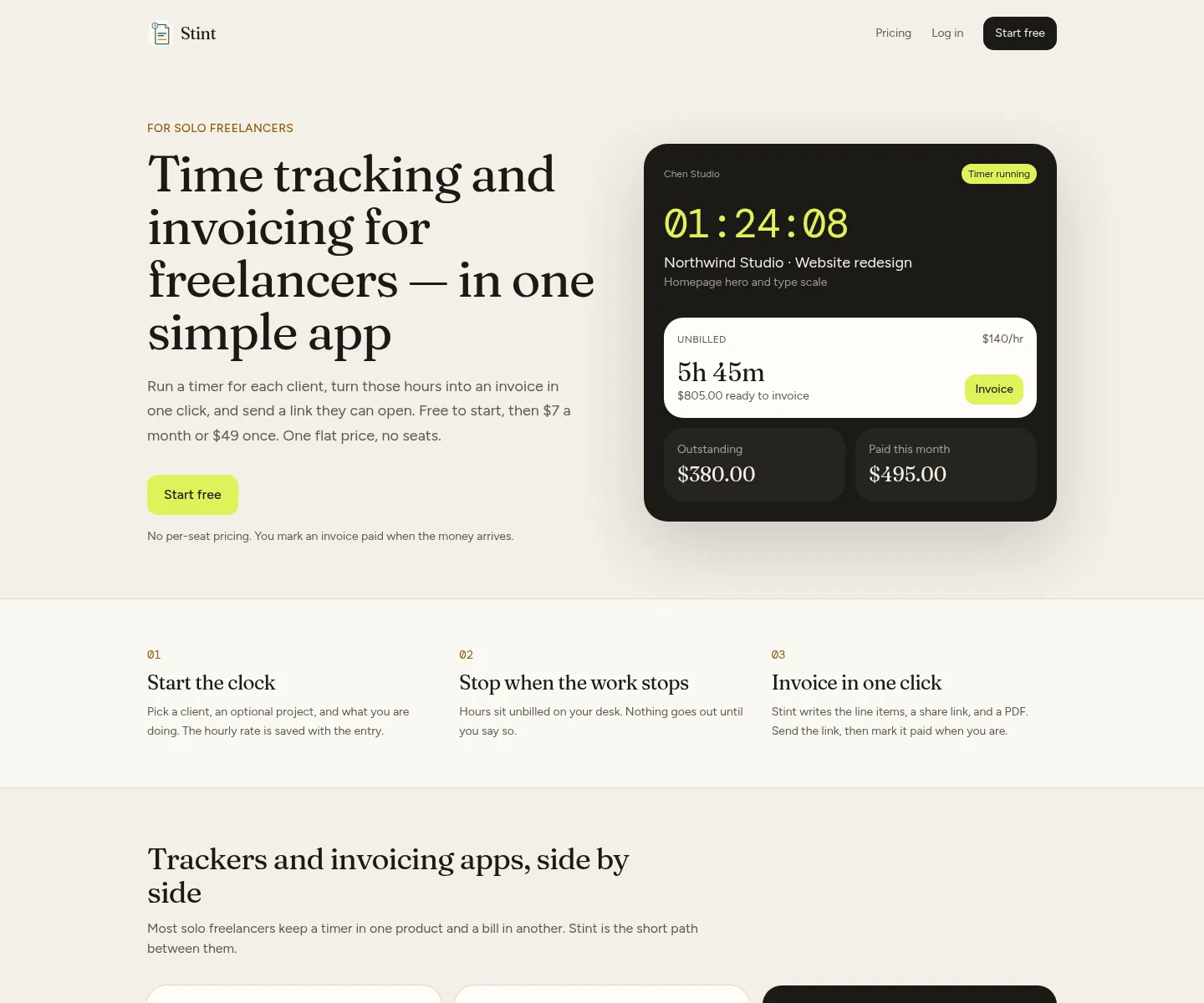
Stint combines client-based time tracking with invoicing for solo freelancers. Start a timer for a client and optional project, with the hourly rate saved to the entry.
When work is ready to bill, Stint turns unbilled hours into invoice line items, a shareable link, and a PDF. Clients see the hours, rate, and total; payment is handled outside Stint, and invoices can be marked paid manually.
What Stint does
- Client-based timer: Pick a client, optionally select a project, and record what you are doing while the hourly rate is saved.
- Unbilled hours: Completed hours remain unbilled until you decide they are ready to send.
- One-click invoicing: Turn tracked hours into invoice line items, a share link, and a PDF.
- Manual payment status: Mark an invoice paid when the money arrives; Stint does not collect card payments.
- Local or online workspace: Use a local file without the required keys, or add Supabase when you want the workspace online.
Who it's for
Solo freelancers who want to track client work and create invoices without using separate products.
Why people use Stint
Freelancers often need one product to track time and another to create bills, making the path from completed work to invoice longer.
Stint connects a timer per client to one-click invoices with line items, share links, and PDF downloads.
Time tracking and invoicing are combined in one flat-price product for one person, with no per-seat pricing.
Pricing
Stint is free to start, with paid plans from $7/month.
Platforms
Stint runs on Web.
Stint FAQ
- Can Stint be used before adding Stripe or Supabase?
- Yes. Without those keys, Stint keeps the workspace in a local file. Supabase can be added when an online workspace is needed.
- Does Stint take a cut of invoice payments?
- No. The invoice total is yours. Stint does not collect a card payment; mark the invoice paid after receiving money your usual way.
- What does a client see?
- A plain invoice link showing the hours, rate, and total. The client can download a PDF from the same page, and there is no payment form.
- Is online card checkout available?
- No. Online card checkout is not a feature currently available in Stint.
Stint launched on IndieLaunch on October 17, 2026 in SaaS, Productivity. Visit Stint
New to these terms? Read what Freemium and Product-led growth mean.
Stint alternatives
 TallyClipConvert bank statement PDFs into clean Excel, CSV, or QuickBooks Online imports
 StrataSee what is using your Mac's storage and choose what to clear.
 SeyloEverything a project gathers. In one place.
 Reminder UsAutomatic email appointment reminders that cut no-shows
 ScanQueueQR virtual queues with SMS, WhatsApp and push alerts
Discussion(0)
Sign in to leave feedback for the maker.
Log inNo comments yet
Be the first to give the maker feedback.