
EveryGenAI
AI video and image generator with ready-made video effect templates
- Launched
- Oct 18, 2026
- Website
- everygenai.live
- Pricing
- Freemium
- Platforms
- Web

EveryGenAI is an AI video and image generator. Create videos from text prompts or images with models such as Seedance, Veo and Hailuo, and check the credit cost before each generation. Creative templates turn one photo into short effect videos such as a character dance, red carpet, bullet time or day-to-night, plus trending AI meme effects. The product video tool animates a product photo into a short clip for ads and social posts. An image studio covers text-to-image, image-to-image and an AI photo editor with Nano Banana, GPT Image, Seedream and FLUX. Pay once for credits; no subscription required.
What EveryGenAI does
- Text-to-video generation: Describe a subject, action and camera movement, then choose supported model settings to create a video.
- Image-to-video animation: Upload an image or select one from the library and describe the movement to generate a new scene.
- Reference-led workflows: Use supported first and last frames, reference images or reference clips to guide the scene.
- Multiple video models: Compare and use Seedance, Veo and Hailuo in the same video workspace.
- Credit estimates before generation: Review the estimated cost based on model, duration, resolution and reference-video settings before submitting.
- Task history and downloads: Track task status, reuse prompts and settings, and download completed videos during the 24-hour file window.
Who it's for
Creators, marketers and teams making product videos, social clips, cinematic scenes, character animations and other short AI-generated videos.
Why people use EveryGenAI
Creating AI video often requires separate tools for models, prompts, image references, settings and generation tracking.
EveryGen AI combines supported video models, text and image inputs, references, model controls, credit estimates and task history in one online workspace.
It brings Seedance, Veo and Hailuo into one video workspace and shows supported inputs, settings and generation-credit estimates before submission.
Pricing
EveryGenAI has a free plan and paid upgrades.
Platforms
EveryGenAI runs on Web.
EveryGenAI FAQ
- What is EveryGen AI?
- It is an online AI video generator for text prompts, images and supported references. It combines Seedance, Veo and Hailuo in one workspace.
- Can it create videos from text?
- Yes. Describe a subject, action and camera movement, choose supported settings, review the credit estimate and submit the video task.
- Can I animate my own images?
- Yes. Upload an image or select one from the EveryGen AI library, then describe the movement. First and last frames or reference images are available where the selected model supports them.
- Which video models are supported?
- The site identifies Seedance, Veo and Hailuo as supported video models. Available inputs and controls vary by model.
- How are generation credits calculated?
- The estimate depends on the selected model, duration, resolution and reference-video duration. AI scene preparation and optional first-frame generation have separate costs.
- What happens if a generation fails?
- Reserved generation credits are released after a failure is confirmed. If the result is uncertain, the reservation is kept while the status is checked.
- How long are generated videos stored?
- Generated video files are stored privately for 24 hours and then deleted. Download completed files before the expiry time shown in Creations.
- Can I use the videos commercially?
- Commercial use depends on the selected model provider's terms and the user's rights to all source material. A plan card does not establish commercial permissions.
EveryGenAI launched on IndieLaunch on October 18, 2026 in AI Tools, Content Creation. Visit EveryGenAI
New to these terms? Read what Freemium and Product-led growth mean.
EveryGenAI alternatives
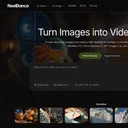 ReelDanceAI image and video creation for creators, marketers, and creative teams
 dimly.artAI video generation for TikTok, Reels and Shorts creators
 VideoifyTurn any image into video with AI, no watermark
 Seedance25AI video generator — text & image to video with Seedance 2.5
 ClipkaiAI video generator and AI photo editor: text/image to video and one-click photo
Discussion(0)
Sign in to leave feedback for the maker.
Log inNo comments yet
Be the first to give the maker feedback.