
- Launched
- Oct 30, 2026
- Website
- 3dconverter.org
- Pricing
- Freemium
- Platforms
- Web
- Based in
- United States
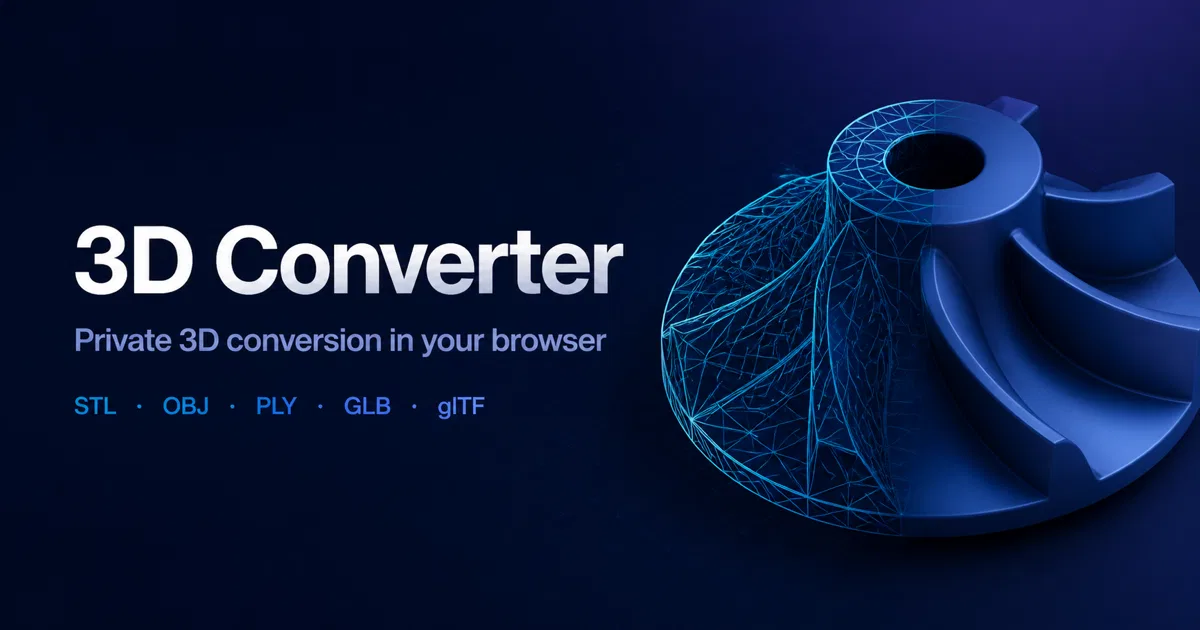
3D Converter is a free online 3D model converter and viewer that runs in your browser. Open a model, pick an output format, and see what carries through before you download. STL, OBJ, PLY, 3MF, FBX, 3DS, GLB, glTF, DAE and RBXM convert locally, so the model is parsed on your device instead of being uploaded, and no account is needed. Every export is re-opened and checked, with a before-and-after report. A built-in 3D viewer shows dimensions and mesh statistics. Free plan covers unlimited local conversion; Pro is $9.9/month.
What 3D Converter does
- Browser-local conversion: Processes supported mesh and scene files in the browser without uploading the model or requiring an account.
- Before-and-after validation: Reopens exported files and compares dimensions, triangles, objects, materials, textures, units, and axis data when available.
- Dependency-aware packages: Accepts referenced MTL, BIN, and image files with the model so local references can be resolved.
- Format-loss warnings: Shows which properties a conversion route can preserve and what materials, textures, hierarchy, animation, units, or axes may be lost.
- 3D model viewer: Open models locally, rotate them, switch projection and render modes, and review dimensions and mesh statistics.
- Cloud CAD conversion: Provides STEP and IGES conversion through a verified-account cloud path with temporary processing and output validation.
Who it's for
3D modelers, 3D-printing users, game and web developers, CAD users, and anyone handling 3D file handoffs.
Why people use 3D Converter
3D formats preserve different combinations of geometry, materials, textures, hierarchy, animation, units, and axes, making conversion results and data loss difficult to assess.
It provides format-specific conversion routes, local browser processing for mesh files, route warnings, dependency handling, and a reopened output with comparison and quality checks before download.
The site places expected format loss next to each route and reopens local exports to compare dimensions, triangles, objects, materials, textures, units, and axis data when available.
Pricing
3D Converter is free to start, with paid plans from $9.9/month per month.
Platforms
3D Converter runs on Web.
3D Converter FAQ
- Do local conversions upload the 3D file?
- No. Local routes parse selected files in the browser. Unselected external dependencies are rejected instead of fetched. STEP and IGES use a separate cloud conversion path after a verified user starts the upload.
- Is 3D Converter free to use?
- Yes. Browser-local conversion routes and the 3D viewer are available without an account. The main local model file is limited to 100 MB; cloud CAD processing, saved history, and account storage are separate.
- Which formats does it support?
- The site lists STL, OBJ, PLY, GLB, glTF, FBX, 3MF, DAE, 3DS, RBXM, STEP, and IGES routes, plus image-to-3D-print workflows for PNG, JPG, and WEBP.
- Why are additional files needed for OBJ or glTF?
- OBJ may reference an MTL file and texture images, while glTF may reference BIN buffers and images. Select the complete package with the original file names so local references can be resolved.
- Can conversion repair non-manifold geometry?
- No. The quality report can flag degenerate triangles and non-manifold edges, but conversion does not fill holes, remove self-intersections, or create printable wall thickness.
- What is the local file-size limit?
- The main local model file is limited to 100 MB. Large dependency packages can still run into browser memory limits.
3D Converter launched on IndieLaunch on October 30, 2026 in Productivity, Design Tools. Visit 3D Converter
New to these terms? Read what Freemium and Product-led growth mean.
3D Converter alternatives
 GearDexCamera gear inventory, shoot planning and client work in one app
 StrataSee what is using your Mac's storage and choose what to clear.
 ThreadedCreate cross-stitch and needlepoint patterns from photos in your browser
 PetalYour personal PDF editor. Just type what you need.
 ZipicAI-ready image compression for Mac & Windows
Discussion(0)
Sign in to leave feedback for the maker.
Log inNo comments yet
Be the first to give the maker feedback.