
- Launched
- Oct 25, 2026
- Website
- rasterbator.org
- Pricing
- Free
- Platforms
- Web
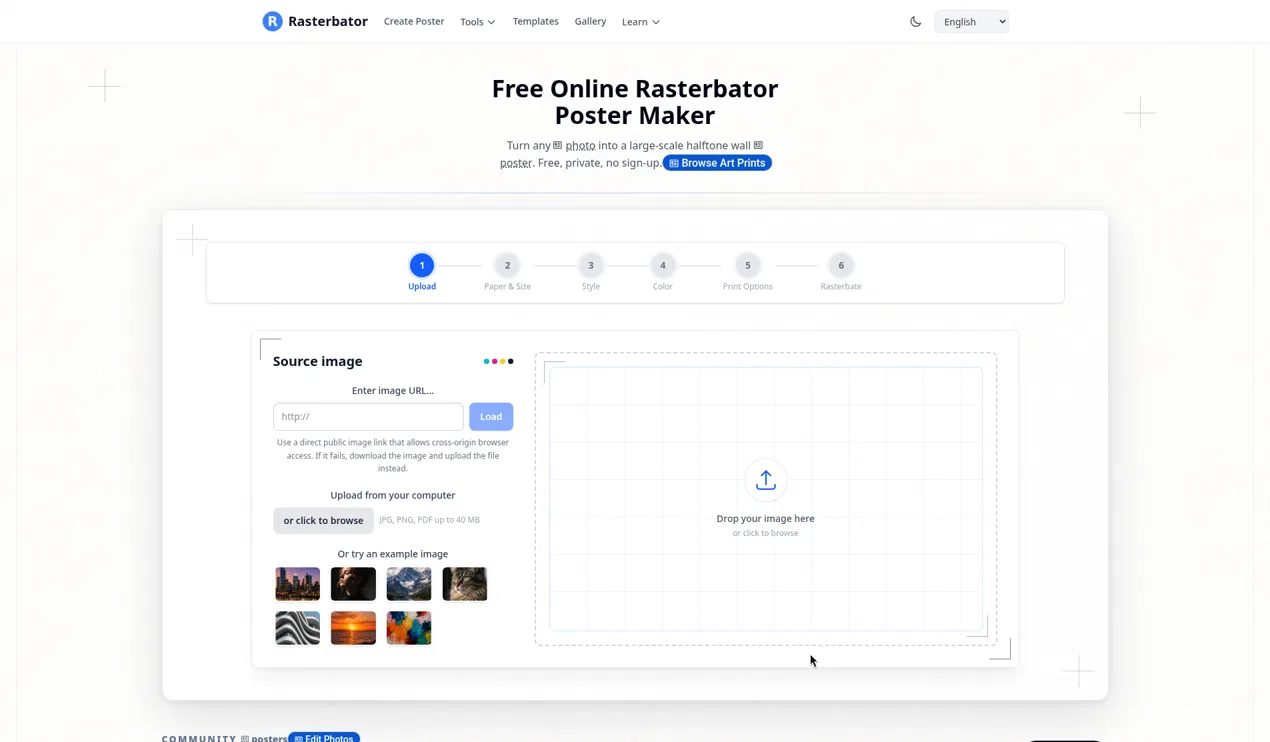
Rasterbator turns a digital image into a large wall poster made from halftone dots spread across multiple printed pages. It is designed for people who want to make wall art at home with a standard printer.
Upload a JPG, PNG, or PDF, configure the paper size, page count, style, dot shape, colors, and grid density, then download a multi-page PDF or ZIP of JPG tiles. Print the pages, trim along the crop marks, and assemble them.
What Rasterbator does
- Halftone rendering effects: Choose from 11 effects, including classic, color, black-and-white, high contrast, lines, cross halftone, ASCII art, and plain tile.
- Custom dot shapes: Use circle, square, diamond, heart, triangle, or cross dot shapes.
- Poster layout controls: Set paper size, page count, orientation, grid density, colors, and custom dimensions.
- Real-time preview: Preview the poster with zoom controls before generating the output.
- PDF and ZIP export: Download a multi-page PDF with crop marks and page labels or a ZIP of individual JPG tiles.
- Ready-made templates: Start from presets for portraits, landscapes, pop art, offices, bedrooms, and party photo walls.
Who it's for
People, students, families, and creators who want to make large wall posters at home using a standard printer.
Why people use Rasterbator
Large-format wall art normally requires a print shop or specialized equipment, while ordinary printers produce only small pages.
Rasterbator converts images into printable halftone tiles across multiple pages that can be assembled into a large poster.
The tool processes images entirely in the browser, offers 11 rendering effects and six dot shapes, and exports multi-page printable files without sign-up or watermarks.
Pricing
Rasterbator is free to use.
Platforms
Rasterbator runs on Web.
Rasterbator FAQ
- What image formats are supported?
- Rasterbator supports JPG, PNG, and PDF files up to 40 MB. Images larger than 8192 pixels in either dimension are automatically scaled down; PDFs use the first page rendered at 200 DPI.
- Is my image uploaded to a server?
- No. Image processing happens entirely in the browser, and uploaded images do not leave the device.
- What paper sizes can I use?
- You can use A5, A4, A3, A2, A1, US Letter, US Legal, Tabloid, or custom dimensions, in portrait or landscape orientation.
- What printer do I need?
- Any standard home or office printer works. The site recommends a laser printer with standard copy paper for best results.
- How do I assemble the printed pages?
- Print the pages, arrange them using the position labels, trim the margins along the crop marks, and tape or glue the pages together.
- What is the difference between PDF and ZIP download?
- The PDF contains all pages in one printable document. The ZIP contains individual JPG tiles so specific pages can be printed or used in other applications.
- Can I use Rasterbator on my phone?
- Yes. Rasterbator works in modern mobile browsers, though a desktop or laptop is recommended for large images.
- Is Rasterbator free?
- Yes. The site states that it is 100% free, with no watermarks, page limits, sign-up, or premium tier.
Rasterbator launched on IndieLaunch on October 25, 2026 in Design Tools. Visit Rasterbator
New to these terms? Read what Side project and Indie hacker mean.
Rasterbator alternatives
 DeckArtsClassic paintings as skateboard deck wall art, printed in Berlin
 Cutout FreeFree AI background remover with clean, precise edges
 Enhance.PlaceFree AI image upscaler: enlarge photos 2x or 4x
 QuickAIHeadshotsProfessional AI headshots for LinkedIn from selfies
 BeadDraftFree bead pattern maker: photo or text to a printable chart
Discussion(0)
Sign in to leave feedback for the maker.
Log inNo comments yet
Be the first to give the maker feedback.