
- Launched
- Oct 25, 2026
- Website
- retypit.ai
- Pricing
- Paid
- Platforms
- Web
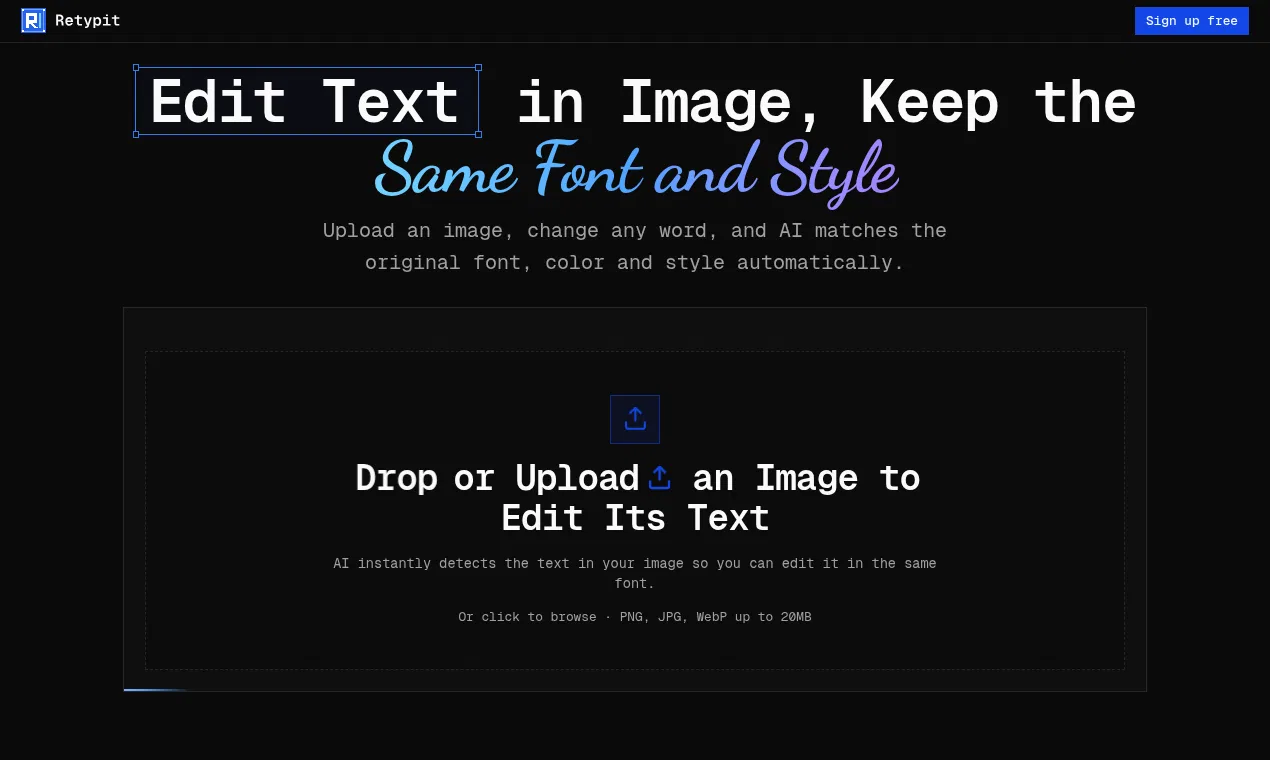
Upload an image, click any line of text and retype it. Retypit's AI keeps the original font, color and style, and leaves everything else untouched.
What Retypit does
- Automatic text detection: Scans an uploaded image and marks or numbers each line of text for editing.
- Font and style matching: Rebuilds replacement words using the original font, color, style and texture.
- Selective text editing: Changes selected text while aiming to leave faces, backgrounds, props and layout untouched.
- Flat-image editing: Edits finished images directly without a layered PSD or source file.
- Browser-based workflow: Upload, select, retype and download an edited image without installing design software.
- Decorative lettering support: Supports ornate script and decorative lettering in image text edits.
Who it's for
People who need to correct or replace text in finished images, including screenshots, posters, menus, product photos, memes and social graphics.
Why people use Retypit
Changing words in a finished image usually requires Photoshop, a source file, font identification and manual layout work.
Retypit detects text in an uploaded image, lets users select and retype lines, and rebuilds the replacement text to match the original style.
It is focused on changing text already present in an image while preserving the original font, color, texture and surrounding image.
Pricing
Retypit is a paid product. Its website has the current prices.
Platforms
Retypit runs on Web.
Retypit FAQ
- How do I edit text in an image?
- Upload an image, let Retypit analyze and mark the text, click the line you want to change, type the new text, and click Edit text. Open your history and click Download when finished.
- What image formats does Retypit support?
- Retypit supports PNG, JPG and WebP files up to 20MB.
- Can Retypit keep the original font?
- Yes. It references the original text's font, color and style when rendering the replacement words.
- Do I need Photoshop or a PSD file?
- No. Retypit edits the finished image directly in the browser and does not require Photoshop, a PSD or a source file.
- Can I edit only selected text?
- Yes. Select one or more detected text lines and retype them. Retypit says it changes the chosen text while leaving the rest of the image untouched.
- What types of images can I edit?
- The site lists screenshots, posters, flyers, menus, product packaging photos, AI-generated images, memes and social media graphics.
- Can I edit text in a screenshot?
- Yes. Upload the screenshot, select the detected typo, button label or store name, type the correction and click Edit text.
- Will the background stay unchanged?
- Retypit aims to change only the selected text and leave the rest of the image alone, though it notes that small changes elsewhere can happen.
Retypit launched on IndieLaunch on October 25, 2026 in AI Tools, Design Tools, Content Creation. Visit Retypit
New to these terms? Read what SaaS and Customer lifetime value mean.
Retypit alternatives
 Image2Image AIRestyle photos, develop sketches and explore materials with image to image AI.
 Flux KontextAI image generation and editing for creators and digital artists
 EditTextImageEdit text in finished images without Photoshop or design skills
 My Look StoryAI hairstyle previews, headshots and creative photo tools from your images
 ClipkaiAI video generator and AI photo editor: text/image to video and one-click photo
Discussion(0)
Sign in to leave feedback for the maker.
Log inNo comments yet
Be the first to give the maker feedback.