
- Launched
- Nov 21, 2026
- Website
- cutling.matsuokengo.com
- Pricing
- Paid
- Platforms
- iOS, macOS
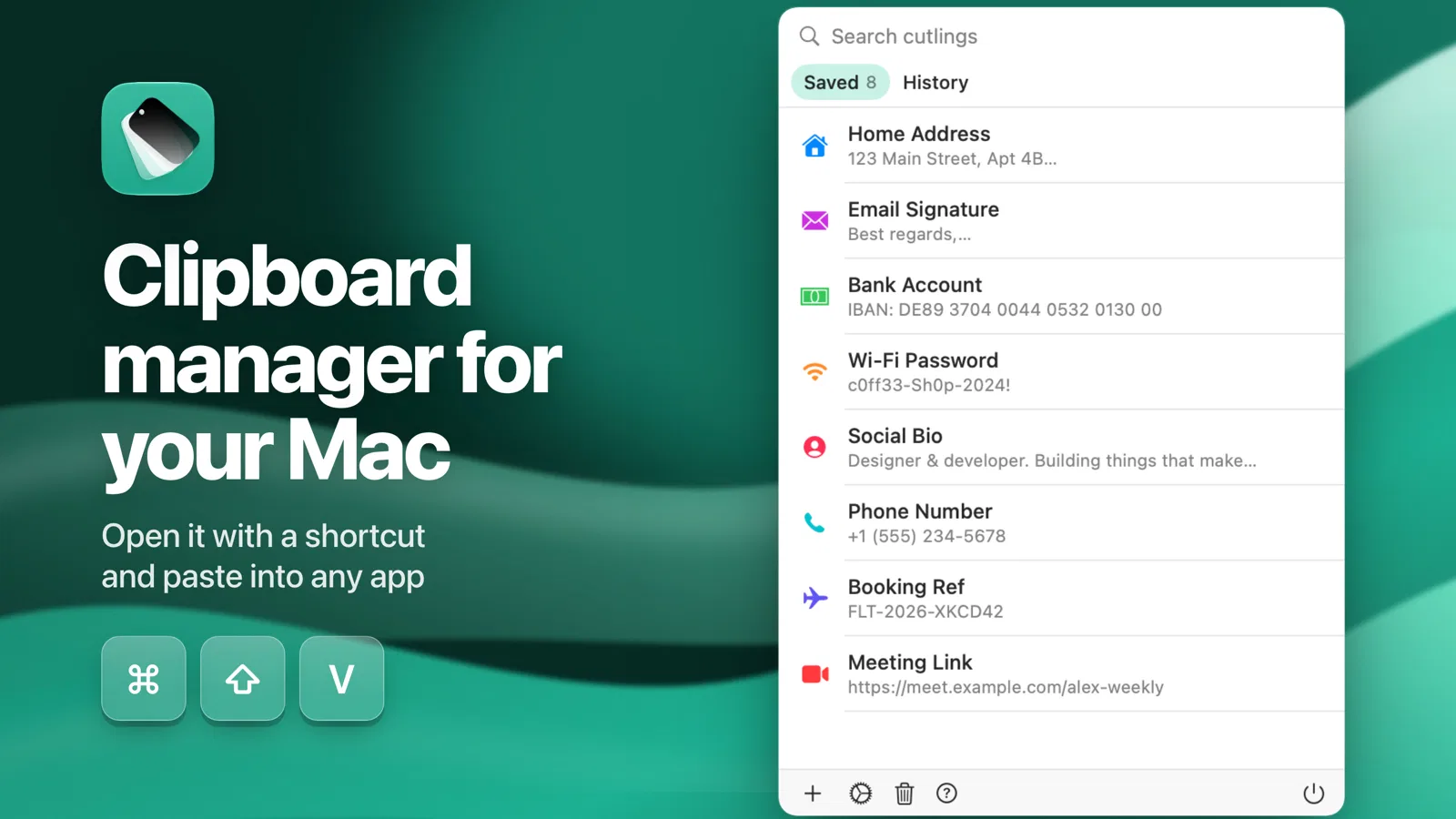
Cutling keeps the text you type again and again (your address, bank details, an email signature, the reply you send every week) and pastes it with one tap. On iPhone and iPad it is a keyboard you switch to in any app: open Cutling, create your snippets, enable the keyboard, then tap a snippet wherever you are typing. On the Mac it sits in the menu bar, and Shift-Command-V opens a picker at your cursor. Its clipboard history skips anything a password manager marks as concealed, so copied passwords never land in it. Snippets sync across your devices with iCloud, can expire on a date you pick, and get a colour and an icon so you can scan them fast. No account, no ads, no tracking. One purchase covers iPhone, iPad and Mac.
What Cutling does
- A keyboard of your saved text: Switch to the Cutling keyboard in any app and tap a snippet to insert it.
- Paste picker on the Mac: Shift-Command-V opens a picker at your cursor; its clipboard history skips anything a password manager marks as concealed.
- Snippets that expire: Set a date and a temporary snippet removes itself; sync across devices with iCloud.
Pricing
Cutling is a paid product. Its website has the current prices.
Platforms
Cutling runs on iOS, macOS.
Cutling launched on IndieLaunch on November 21, 2026 in Productivity. Visit Cutling
New to these terms? Read what SaaS and Customer lifetime value mean.
Similar products
 Invisible TextsCopy invisible characters, zero-width spaces and blank text in one click
 UndirectSafari extension that stops pages taking your click to pop-under tabs
 NotionA connected AI workspace for individuals, teams, and agents
 StreamSyncerNever miss a trade call from the livestreams you follow
 LaunchDirectoriesFind launch directories and submit products for better visibility and backlinks
Discussion(0)
Sign in to leave feedback for the maker.
Log inNo comments yet
Be the first to give the maker feedback.