- Launched
- Nov 2, 2026
- Website
- quickvector.net
- Pricing
- Freemium
- Platforms
- Web
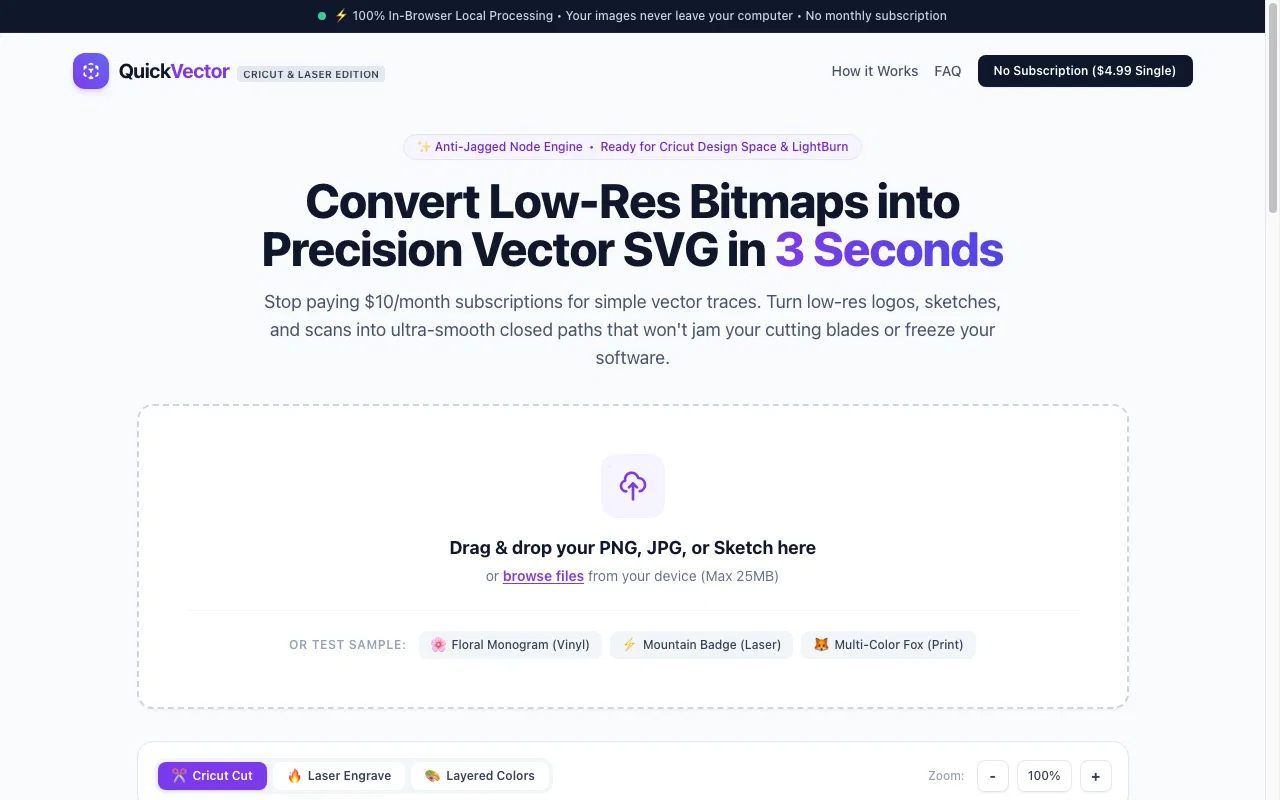
QuickVector converts PNG/JPG into clean, cut-ready SVG and DXF in your browser. Built for Cricut, Silhouette, LightBurn, xTool, Glowforge. Free watermarked SVG preview; $4.99 one-time Master Pack. No monthly subscription. 100% client-side.
What QuickVector does
- Local raster-to-vector conversion: Converts PNG, JPG, WEBP, and sketches into simplified SVG paths directly in the browser.
- Cricut Cut preset: Traces in two colors, drops small specks, and produces closed shapes for Cricut Design Space.
- Laser Engrave preset: Creates sharper outlines and supports DXF output for LightBurn, xTool Creative Space, and Glowforge.
- Layered Colors preset: Supports multi-color print workflows with separated color or contour layers in the paid pack.
- Before-and-after comparison: An in-browser slider compares the original bitmap with the generated vector.
- Local privacy: Processing occurs in device memory; the site says source images and generated vector files are not stored on its servers.
Who it's for
Crafters, hobbyists, small businesses, Etsy sellers, and makers who need vector files for craft cutters, laser cutters, CNC machines, or embroidery software.
Why people use QuickVector
Raster images contain pixels rather than the clean, closed paths that cutting and engraving software needs. Automatic tracing can also create excessive nodes and jagged cut paths.
QuickVector traces raster images locally in the browser, reduces anchor points, smooths curves, closes paths, and exports files for cutting, engraving, printing, and physical-product production.
The site says processing happens entirely in local browser memory: uploaded images and generated files are not uploaded to or stored on a remote server.
Pricing
QuickVector is free to start, with paid plans from $4.99 as a one-time payment.
Platforms
QuickVector runs on Web.
QuickVector FAQ
- What image formats can QuickVector use?
- The site says the converter accepts PNG, JPG, WEBP, or BMP files, as well as sketches from a device. The homepage says uploads can be up to 25MB.
- Does the image get uploaded to a server?
- No. The trace runs in the browser, and the site says the PNG and generated SVG stay on the device rather than being stored on a remote server.
- What does the free download include?
- The free download is the same trace as the paid version but with a personal-use watermark. It is a watermarked SVG preview.
- What does the Master Cutting Pack include?
- The one-time pack includes a watermark-free SVG, a 2D R12-polyline DXF, a transparent PNG, a printable outline PDF, and a license for selling physical products made from the files.
- Does the DXF work with LightBurn and laser cutters?
- Yes. The site says the DXF is formatted in standard CAD R12 polyline specification and can be used with LightBurn, xTool Creative Space, Glowforge, and laser CAD software.
- Can the generated files be sold as digital downloads?
- No. The commercial license covers physical end products, but the terms prohibit reselling, repackaging, distributing, sublicensing, or giving away the generated digital files as standalone downloads.
QuickVector launched on IndieLaunch on November 2, 2026 in Design Tools. Visit QuickVector
New to these terms? Read what Freemium and Product-led growth mean.
QuickVector alternatives
 ReWords AIEdit the text inside any image online, for free.
 ZipicAI-ready image compression for Mac & Windows
 Tesla WrapTesla wrap designer with instant on-car template previews
 VideoAnyVideoAny | AI video and image tools in one workspace
 AI Baby GeneratorRealistic future baby preview from two parent photos in about 30 seconds.
Discussion(0)
Sign in to leave feedback for the maker.
Log inNo comments yet
Be the first to give the maker feedback.