
- Launched
- Nov 3, 2026
- Website
- zipic.app
- Pricing
- Freemium
- Platforms
- macOS, Windows, CLI
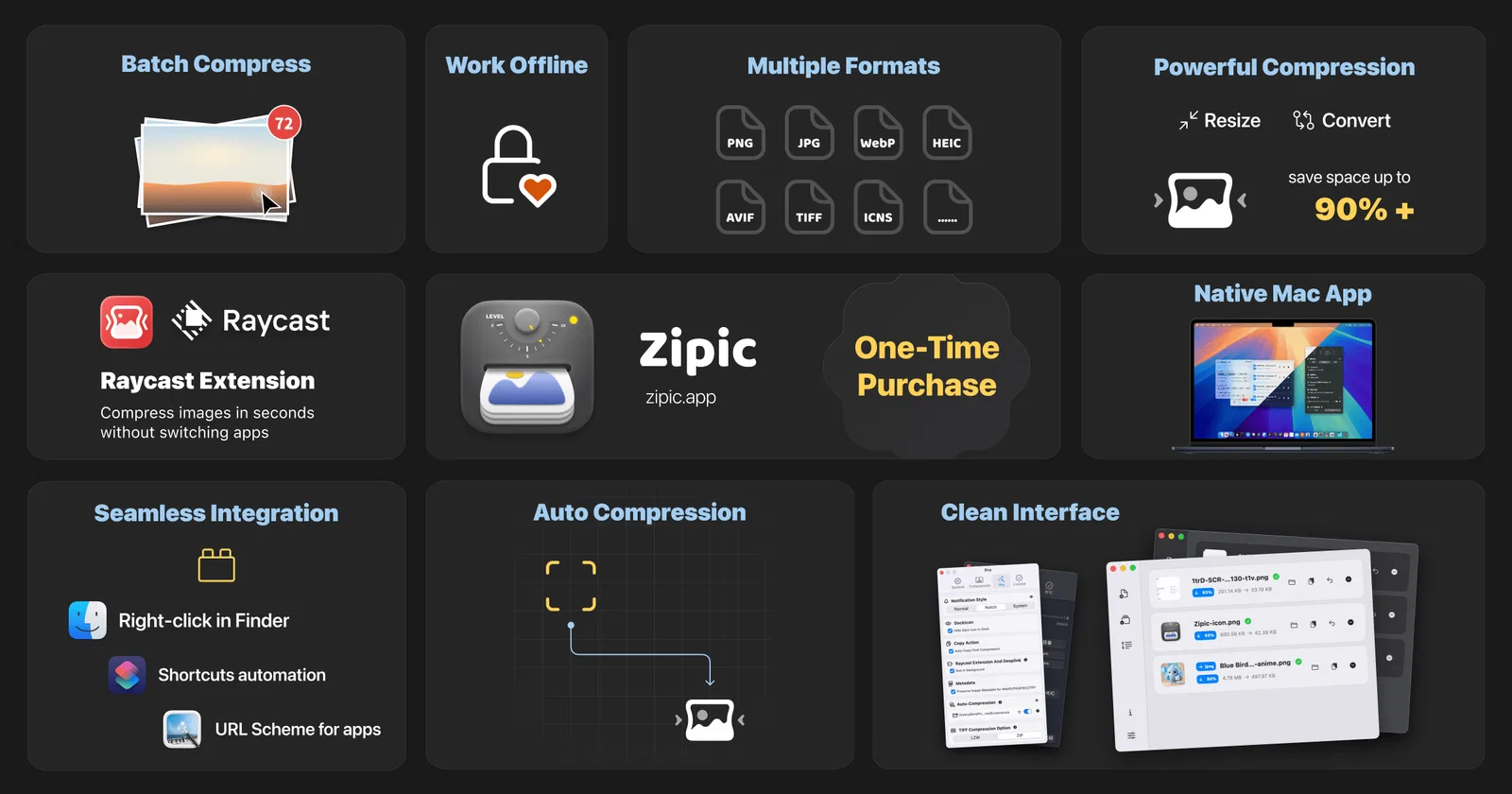
Zipic is a native image compressor for macOS 13+ and Windows 10+ (Beta). It serves designers, developers, photographers, creators, and teams that need to shrink, convert, resize, or batch-process image files without sending them to a server. All processing is 100% on-device: no uploads, no cloud, no account. Zipic supports JPEG, PNG, WebP, HEIC, AVIF, JPEG XL, TIFF, GIF, SVG, and PDF, with configurable compression levels, presets, before-and-after comparison, and folder monitoring. Work through drag and drop, Finder, Raycast, clipboard auto-compression, or watched folders. The zipic CLI returns per-file JSON and meaningful exit codes for scripts and AI agents. Install its Agent Skill with npx skills add okooo5km/Skills4U --skill zipic.
What Zipic does
- Batch image compression: Compress multiple images at once with six quality levels and options designed to preserve visual quality.
- Format conversion and resizing: Convert supported images between formats and batch resize them to specified dimensions.
- Local and offline processing: Compression and conversion happen on the device; images, paths, metadata, and clipboard contents are not uploaded or collected.
- Presets and comparison view: Create compression presets, switch between configurations, and compare results with zoom and pan controls.
- Workflow automation: Monitor folders, auto-compress clipboard images, use Notch Drop, and connect through Finder, Raycast, Shortcuts, URL Scheme, or CLI.
- Smart Skip: Recognize previously compressed files and skip redundant processing, while re-compressing changed files or settings.
Who it's for
Mac and Windows users who need to compress, convert, resize, or automate image processing, including designers, developers, bloggers, photographers, and other creative professionals.
Why people use Zipic
Large image files consume storage and can slow uploads, downloads, sharing, backups, and web or app experiences. Repetitive image processing can also interrupt a user's workflow.
Zipic compresses and converts images locally in batches, with resize controls, presets, automation, format support, and workflow integrations such as Finder, Raycast, Shortcuts, CLI, and folder monitoring.
Zipic combines local, offline image processing with native macOS and Windows apps, workflow automation, configurable presets, and broad image and document format support.
Pricing
Zipic is free to start, with paid plans from $29.99 as a one-time payment.
Platforms
Zipic runs on macOS, Windows, CLI.
Zipic FAQ
- What operating systems does Zipic support?
- Zipic supports macOS 13.0 or later and Windows 10 or later. The Windows version is currently a public beta distributed through the Microsoft Store.
- Is Zipic free?
- Zipic has a free version with 25 compressions per day and no access to advanced features. A Pro license removes the limit and unlocks premium features.
- Does Zipic upload images or collect data?
- No. Images are processed locally and compression works offline. Zipic says it does not collect images, file names or paths, image metadata, or clipboard contents.
- What formats does Zipic support?
- It supports JPEG, PNG including APNG, WebP, GIF, HEIC, HEIF, AVIF, TIFF, ICNS, SVG, PDF, and JPEG-XL. Batch conversion is available for several of these formats.
- Does Zipic support command-line usage?
- Yes. Zipic includes a built-in zipic command-line client for batch compression and preset management. URL Scheme automation is also available.
- What integrations are available?
- Zipic supports Finder context-menu operations, Raycast, Apple Shortcuts, AppIntents, URL Scheme automation, folder monitoring, clipboard auto-compression, and Notch Drop.
Zipic launched on IndieLaunch on November 3, 2026 in Productivity, Design Tools, Content Creation. Visit Zipic
New to these terms? Read what Freemium and Product-led growth mean.
Zipic alternatives
 QuickVectorInstant in-browser SVG/DXF vectorizer for Cricut & laser cutters.
 3D ConverterConvert and inspect 3D models privately in your browser
 PetalYour personal PDF editor. Just type what you need.
 GearDexCamera gear inventory, shoot planning and client work in one app
 VidEngineerTake apart successful videos before planning your next production.
Discussion(0)
Sign in to leave feedback for the maker.
Log inNo comments yet
Be the first to give the maker feedback.