
- Launched
- Nov 1, 2026
- Website
- enhance.place
- Pricing
- Free
- Platforms
- Web, Windows
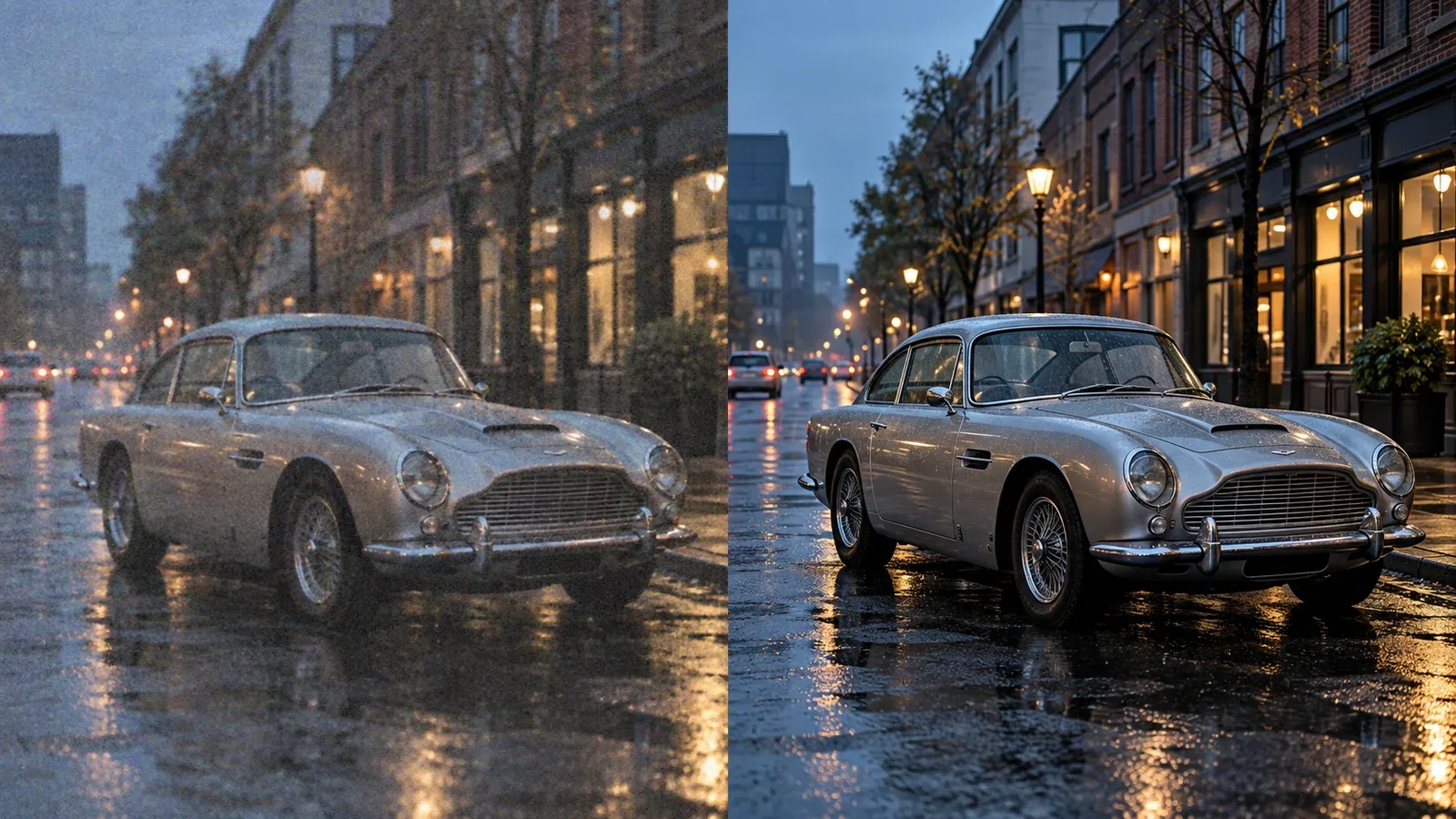
Enhance.Place is a free online AI image upscaler. It enlarges photos 2x or 4x and brings back sharper detail in small, low-resolution or slightly blurry images, so they hold up on bigger screens and in print.
Upload a JPG, PNG or WebP file up to 6 MB, choose the scale, and check the result with the before/after slider before you download. For larger batches of photos and videos processed on your own PC, a Windows app is also available.
How it works: upload an image, choose 2x or 4x, then compare with the slider and download.
What Enhance.Place does
- Photo and video enhancement: Upscales resolution, reduces noise and grain, sharpens soft detail, and restores old or damaged media.
- Local offline processing: The Windows app runs on the computer after installation; files, metadata, and enhancement processing stay local.
- Batch processing: Queues a whole folder of videos and images and applies one settings pass to the batch.
- Three enhancement modes: General, Anime, and Portrait modes use models tuned for different types of footage and images.
- Broad GPU support: Uses DirectML to run on NVIDIA, AMD, and Intel GPUs on Windows 10 and 11.
- Online image enhancer: Enhances one JPG, PNG, or WebP online at 2× or 4× and returns a PNG result.
Who it's for
Sellers, bloggers and anyone with small or old photos that need to be bigger and sharper.
Why people use Enhance.Place
Small or blurry photos look soft on big screens and in print, and most upscalers want an account first.
Upload an image, pick 2x or 4x, compare with the slider and download.
Free online, 2x and 4x in one click, before/after slider, and a Windows app for local batches.
Pricing
Enhance.Place is free to use.
Platforms
Enhance.Place runs on Web, Windows.
Enhance.Place FAQ
- Can I enhance a photo online for free?
- Yes. Choose one JPG, PNG, or WebP, select 2× or 4×, and download the result. No login or usage credits are required; the image is uploaded for processing.
- Does the Windows app work offline?
- Yes. After installation, enhancement runs on the PC and nothing is uploaded. Internet is only needed to download the app or an optional update.
- What formats does ClapClip AI support?
- The app supports common video formats including MP4, MOV, AVI, MKV, and WEBM, plus JPG, PNG, WEBP, and TIFF images.
- Which graphics cards work?
- NVIDIA, AMD, and Intel GPUs work through DirectML on Windows 10 and 11. A dedicated GPU is recommended for the best performance.
- Can it process multiple files at once?
- Yes. Batch mode queues a folder of videos and images, including mixed media, and applies the same enhancement settings to the queue.
- Is there a Mac or Linux version?
- ClapClip is currently a Windows application. The site says there is no Mac or Linux version at this time.
Enhance.Place launched on IndieLaunch on November 1, 2026 in AI Tools, Design Tools, Content Creation. Visit Enhance.Place
New to these terms? Read what Side project and Indie hacker mean.
Built by
ClapClipClapClip makes FaceSwap.Free for browser photo edits and ClapClip AI for photo and video face swaps on Windows. Desktop app: https://clapclip.net/ · 5 products launched
Enhance.Place alternatives
 Cutout FreeFree AI background remover with clean, precise edges
 Bad Quality Image MakerMake any image look intentionally bad — blurry, pixelated, or deep fried.
 RasterbatorCreate large halftone wall posters from photos in your browser
 Nano Banana 3AI image generation and photo editing for creators and teams
 QuickAIHeadshotsProfessional AI headshots for LinkedIn from selfies
Discussion(0)
Sign in to leave feedback for the maker.
Log inNo comments yet
Be the first to give the maker feedback.