
- Launched
- Nov 17, 2026
- Website
- multimeterapp.com
- Pricing
- Paid
- Based in
- United States
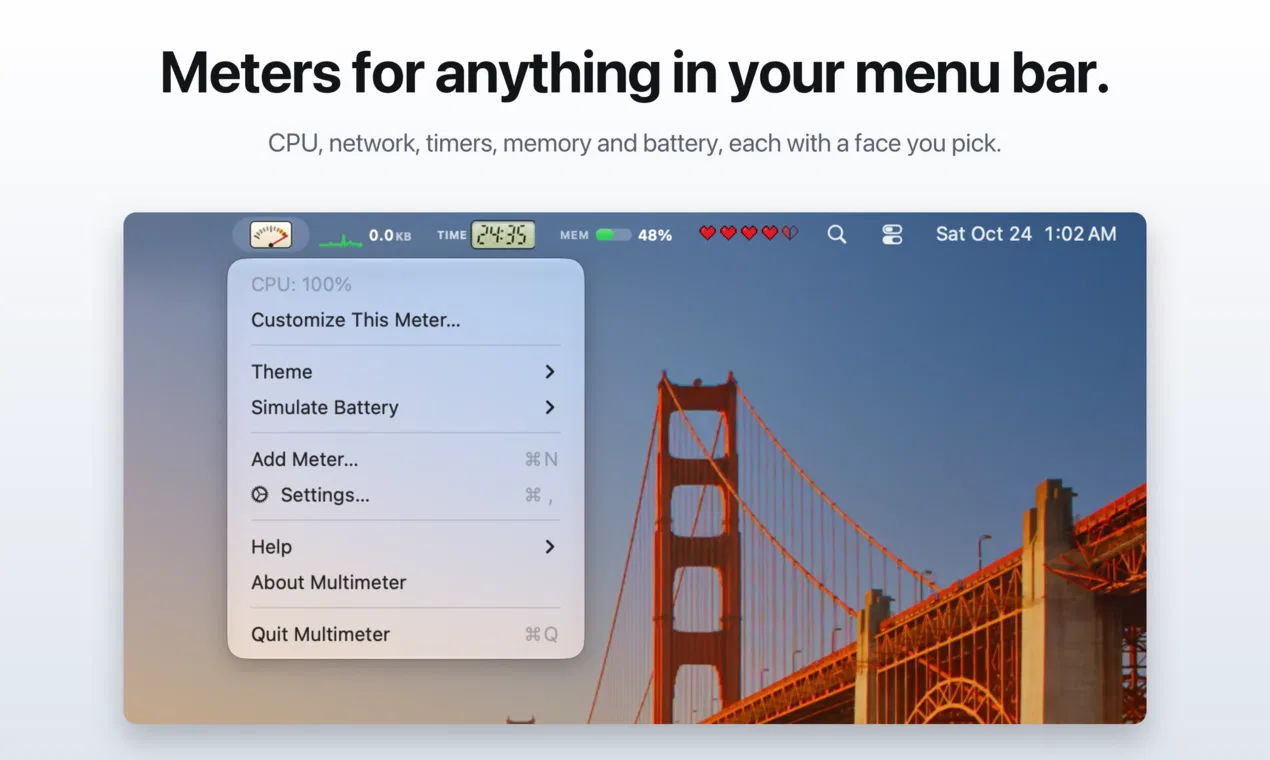
Multimeter puts live meters in your Mac's menu bar, and you choose what each one measures and how it looks.
Measure anything. Your battery, with charging state, time left and time to full. The battery in your Magic Keyboard, Mouse or Trackpad. CPU, memory, disk space, network speed, power draw in watts, fan speed and thermal pressure. A timer you start from the menu bar, a countdown to a date, or how much of the day, week or year has gone by.
Your own numbers. Send a value from Terminal, a script, Shortcuts or any app with a multimeter:// link. Read a number from a file, a web address that returns plain text or JSON, or the output of a shell command. Build status, deploys, inbox counts, the temperature in your greenhouse: if you can get a number, Multimeter can show it.
Pick a face. A small analog gauge with a springy needle, seven-segment digits on a backlit LCD, a sparkline, a ring, a bar, nixie tubes, a split-flap display, clean text, or the playful ones. 35 in all.
Light on your Mac: about 3% CPU for five live meters. No account, no tracking. $19.99 one-time, macOS 13+, 14 languages.
What Multimeter does
- 35 faces: From a needle gauge to LCD digits, nixie tubes and a split-flap display.
- Your own numbers: Send a value with a multimeter:// link, a JSON URL, a file or a shell script.
- Light on your Mac: About 3% CPU for five live meters, with battery, watts, network and fan speed built in.
Pricing
Multimeter is a paid product. Its website has the current prices.
Multimeter launched on IndieLaunch on November 17, 2026 in Productivity. Visit Multimeter
New to these terms? Read what SaaS and Customer lifetime value mean.
Multimeter alternatives
 DotwattTime left, the apps spending the charge and an 80% limit, in your Mac menu bar
 HaptikerVolume, brightness and keyboard light on your trackpad edges
 PostageA fast, native Mac email client with a built-in MCP server
 TaskholdA task list you share with your coding agents
 FinderBuddyCompress, convert, resize and rename files from the Mac Finder right-click menu
Discussion(0)
Sign in to leave feedback for the maker.
Log inNo comments yet
Be the first to give the maker feedback.