
- Launched
- Nov 1, 2026
- Website
- haptiker.app
- Pricing
- Paid
- Platforms
- macOS
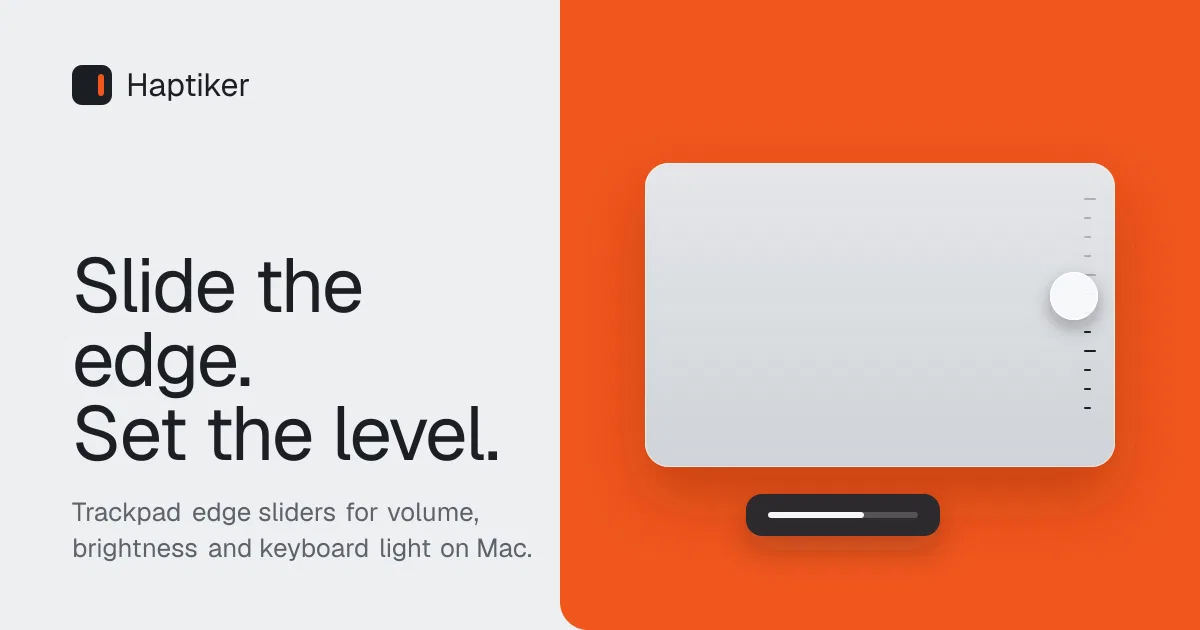
Haptiker is a native macOS menu bar app that turns the edges of your Mac trackpad into controls.
- Right edge: slide to set the volume, tap to mute. - Left edge: slide to set display brightness. It follows the display under your cursor, including external monitors over DDC/CI on Apple Silicon Macs. - Top edge: slide to set the keyboard backlight. - Bottom edge (opt-in): flick between recent apps, or double-tap to browse the app switcher.
Gesture guards mean a slide only counts when one finger starts on the edge and runs along it, so two-finger scrolls and mid-pad swipes are ignored. Haptic ticks confirm each step, so you can adjust without looking.
No account, no analytics. Haptiker runs on macOS 12 or later (launch at login needs macOS 13), on Apple Silicon and Intel Macs, with a built-in Force Touch trackpad or a Magic Trackpad. It costs $4.99 once at the launch price (regular price $7.99), with a 7-day free trial of every feature. One license works on up to 3 Macs. Made by FelixWeb (https://felixweb.site).
What Haptiker does
- Volume edge slider: Slide along the right edge to change volume; double-tap to mute or use a preset level.
- Display brightness control: Slide along the left edge to adjust the display under the cursor, including supported external monitors on Apple Silicon Macs.
- Keyboard backlight slider: Slide sideways along the top edge to adjust the keyboard backlight on Macs with a backlit keyboard.
- Trackpad app switching: Enable the bottom edge to flick between recent apps or browse the app switcher.
- Gesture safeguards: Gestures require one finger to start on and run along an edge, so two-finger scrolling and mid-pad swipes are ignored.
- Configurable edge zones: Adjust edge width, sensitivity, side assignments and the bottom-quarter-only setting, with an on-screen zone preview.
Who it's for
Mac users with a built-in Force Touch trackpad or Magic Trackpad who want trackpad controls for system volume, display brightness, keyboard backlight or app switching.
Why people use Haptiker
Adjusting volume, display brightness and keyboard backlight can require leaving the current task or using keys and controls that may not be available.
Haptiker assigns one-finger slides and double-taps on trackpad edges to volume, brightness, keyboard backlight and optional app switching, with on-screen levels and configurable gesture zones.
Brightness follows the display under the cursor, including external monitors on Apple Silicon Macs, and external brightness control uses built-in DDC/CI support.
Pricing
Haptiker is a paid product, starting at $4.99 as a one-time payment.
Platforms
Haptiker runs on macOS.
Haptiker FAQ
- Can Haptiker be tried before buying?
- Yes. Every feature works for 7 days with no account and no card. After that, a one-time purchase unlocks it permanently.
- How much does Haptiker cost?
- The launch price is $4.99, paid once. The regular price is $7.99. There is no subscription and no account.
- What Macs and macOS versions are supported?
- Haptiker runs on macOS 12 or later on Apple Silicon and Intel Macs with a built-in Force Touch trackpad or a Magic Trackpad. Launch at login needs macOS 13 or later.
- How many Macs does one license cover?
- One license key activates up to 3 Macs. Deactivate the license on the old Mac before moving it to another Mac.
- Why does Haptiker need Accessibility access?
- macOS requires Accessibility access before an app can read trackpad touches. Haptiker uses it only to detect edge gestures; touches are processed in memory and never stored or sent.
- Can it control an external monitor's brightness?
- Yes, on Apple Silicon Macs. Brightness follows the display under the cursor and is set over DDC/CI. Some monitors, adapters and docks do not support it.
Haptiker launched on IndieLaunch on November 1, 2026 in Productivity. Visit Haptiker
New to these terms? Read what Free trial, SaaS and Customer lifetime value mean.
Haptiker alternatives
 SundownA Mac menu bar app that warms and dims your screen on a schedule you set.
 FinderBuddyCompress, convert, resize and rename files from the Mac Finder right-click menu
 KyvenzaRun Windows 11, macOS and Linux VMs on Apple Silicon
 SalesCrewAn AI-native CRM your agents can operate and your clients can own.
 LaunchIntelCurated directory playbooks for Claude Code and Codex
Discussion(0)
Sign in to leave feedback for the maker.
Log inNo comments yet
Be the first to give the maker feedback.