
Yap Audio to Text
Free audio and video transcription that never uploads your file.
- Launched
- Oct 16, 2026
- Website
- yapapp.cc
- Pricing
- Free
- Platforms
- Web, macOS, Windows
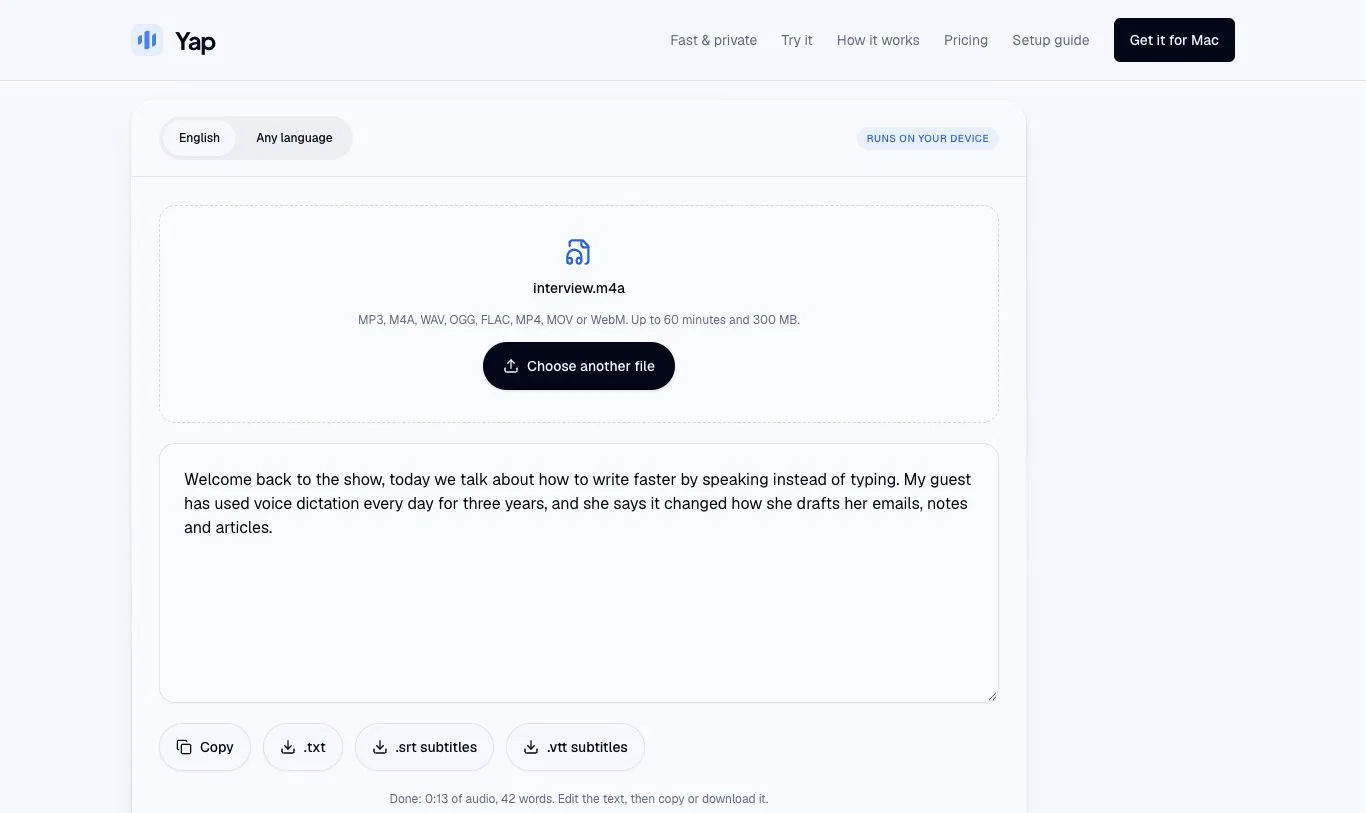
Turn an MP3, M4A, WAV or video file into editable text and SRT or VTT subtitles. OpenAI Whisper runs in your browser, so the file is never uploaded. Free, no sign-up, no minute limits. English or 99 languages with automatic detection. Made by O-mega Enterprise Inc., the team behind the Yap dictation app.
What Yap Audio to Text does
- On-device dictation: Hold a shortcut, speak in any app, and release to insert the recognized text at the cursor.
- Browser audio transcription: Transcribe recordings and videos in the browser without uploading the file.
- Subtitle export: Save subtitles as SRT or VTT files with real start and end times.
- Editable text export: Correct the transcript, copy it, or save it as a TXT file.
- Multiple languages: English mode uses an English model; any-language mode recognizes 99 languages and detects the spoken language.
- Local history: Paid desktop plans include local dictation history that remains on the computer.
Who it's for
People who want to dictate into desktop applications or transcribe audio and video files without sending recordings to a server.
Why people use Yap Audio to Text
Typing spoken thoughts and transcribing recordings can be slow, while cloud transcription services require uploading private audio.
Yap recognizes speech on the user's computer or in the browser, inserts dictation into the active app, and exports editable text or timed subtitle files.
Speech and transcripts stay on the device or in the browser tab rather than being uploaded to a server.
Pricing
Yap Audio to Text has paid plans from $69/year.
Platforms
Yap Audio to Text runs on Web, macOS, Windows.
Yap Audio to Text FAQ
- Is the audio-to-text converter free?
- Yes. The browser tool has no account, trial or transcription limit. Each file can be up to 60 minutes and 300 MB.
- Is my file uploaded?
- No. The file and transcript stay in the browser tab on the computer. The audio and transcript are not sent to a server or saved by Yap.
- Which file formats work?
- Supported formats include MP3, M4A, WAV, OGG, Opus, FLAC and AAC audio, plus the sound tracks of MP4, MOV and WebM videos.
- Can it create subtitles?
- Yes. The file is divided into short parts at natural pauses, and subtitles with real start and end times can be downloaded as SRT or VTT.
- Which languages does it understand?
- English mode is intended for English. Any-language mode recognizes 99 languages, detects the file's language and transcribes in that language without translating.
- What does the desktop app need?
- Yap requires an Apple Silicon Mac with macOS 13 or later, or Windows 10 or 11. The first use downloads speech models; desktop dictation then works offline subject to access checks.
Yap Audio to Text launched on IndieLaunch on October 16, 2026 in Productivity, Education. Visit Yap Audio to Text
New to these terms? Read what Side project and Indie hacker mean.
Yap Audio to Text alternatives
 Yap Online DictationFree online dictation that stays on your device.
 Yap Voice TypingFree voice typing for any text box. Press Alt+Shift+Y and talk.
 YapFast, private voice dictation for Mac and Windows
 Yap for iPhonePrivate voice dictation keyboard for iPhone
 AppCleanSee every Mac app leftover. Delete nothing until you say so.
Discussion(0)
Sign in to leave feedback for the maker.
Log inNo comments yet
Be the first to give the maker feedback.